
Searching for FG66 online can bring up websites, APK download pages, login links, and promotional offers. However, not every page using the FG66 name should be trusted. Some websites copy familiar designs to attract visitors, while others attempt to collect passwords, OTPs, phone numbers, or payment details.
Knowing how to spot fake FG66 apps and phishing sites helps you recognize warning signs before sharing information or installing an application. A fake app may look similar to the version you expect, and a phishing page may use a professional design to appear genuine.
This guide explains how to check FG66-related websites, examine APK files, recognize suspicious links, protect your account, and respond to possible fraud. It is intended for Android users and readers in Bangladesh who want to make informed security decisions.
A familiar logo, professional design, or HTTPS connection does not prove that a website or application is legitimate. If you cannot independently verify its source, treat it as unconfirmed.
What Are Fake FG66 Apps and Phishing Sites?
Understanding a Fake FG66 App
A fake FG66 app is an application that uses the FG66 name, logo, or branding without reliable evidence that it comes from the intended developer or an authorized source.
It may copy another app’s appearance, display similar buttons, or use screenshots from a different website. Some fake apps provide none of their advertised features. Others may collect personal information, display misleading offers, or install unwanted software.
A copied logo cannot establish who created an application. The download source, developer information, permissions, and available verification details are more useful indicators.
Understanding FG66 Phishing Sites
A phishing site is designed to trick visitors into providing information or performing an action that benefits the person operating it.
For example, a website might imitate an FG66 login page and request a phone number, password, or OTP. The submitted information could then be collected by someone attempting to access an account.
Other pages may claim that an account needs urgent verification or that a bonus is waiting. Their purpose may be to encourage visitors to reveal sensitive information or make a payment.
How Fake Apps and Websites Work Together
Some scams combine a website with an APK file. A visitor might open a promotional link, reach a copied login page, and then be encouraged to install an application.
The app may request unnecessary permissions or display another form asking for account details. This is why FG66 APK security involves more than checking whether a file downloads successfully. You should also consider its source, identity, permissions, and behavior.
Why FG66 Users Should Check Sources Carefully
People sometimes make security decisions quickly when they want to access a service. A search result promises a download, a social media post advertises a reward, or a message claims that an account needs immediate attention.
For readers in Bangladesh, suspicious messages may mention mobile wallets, local payments, or promotional rewards. These details can make a message seem relevant, but they do not prove that the sender is connected to FG66 or a legitimate payment provider.
Before continuing, ask yourself:
- Can I independently confirm who operates this website?
- Does the requested action match information from a reliable source?
- Is the page requesting information or permissions it does not reasonably need?
If you cannot answer these questions confidently, delay the download or transaction until you have stronger evidence.
Warning Signs of a Fake FG66 Website
Strange or Misspelled Domain Names
The domain name is one of the first things to examine. A suspicious website may use extra words, unusual spelling, added numbers, or a domain ending different from the one you expected.
For example, a domain might add words such as “bonus,” “secure,” or “download” to resemble a familiar brand. These words do not automatically make a website fraudulent, but they should not be accepted as proof of authenticity.
Read the complete address in your browser. Check the spelling carefully, including the main domain and its ending. Do not assume a page is genuine simply because its name contains FG66.
Unexpected Website Redirects
Be careful if a login or download button takes you to an unfamiliar domain. Some services use legitimate external websites, so a different address is not automatically suspicious. However, an unexplained redirect deserves attention when it leads to a login form or APK download.
If you cannot establish why the redirect occurred, leave the page and investigate the destination before trying again.
Fake Login Pages
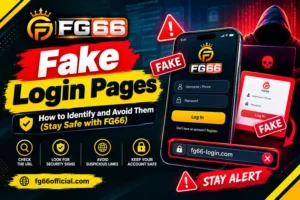
A fraudulent login page may copy a familiar logo, background, and layout. It may contain phone-number fields, password boxes, verification codes, and buttons that appear functional.
The important question is whether the page belongs to the intended service, not whether it looks realistic. Leave the page if you cannot verify its identity. Never enter credentials just to test whether a suspicious login form works.
Unrealistic Promotional Offers
An unfamiliar website might advertise a large bonus, free balance, instant withdrawal, or reward that expires within minutes.
Such offers can encourage users to register quickly, download a file, or provide payment information. The page might later demand an unexplained payment to unlock the promised reward.
A large offer alone does not prove fraud, but extreme urgency, secrecy, and unexpected payment requests are reasons to investigate carefully.
Missing or Inconsistent Contact Information
Some websites provide a support username or contact button without offering a reliable way to verify who operates the service.
Check whether the available details are consistent with information from independent sources. Be cautious if the page uses conflicting names, unrelated contact information, or directs every problem to a personal messaging account.
Contact details can also be copied, so a working phone number does not prove that a website is genuine.
How to Check an FG66 Website Before Using It
A website check cannot guarantee safety, but several checks together can help identify warning signs.
Examine the Complete Web Address.
Read the full domain rather than relying on the website’s logo or page title. Look for misspellings, unexpected words, unusual subdomains, and differences from the address you expected.
A subdomain can contain a familiar name while belonging to a different main domain. If you received a link through a message, remember that even a familiar contact can unknowingly forward a dangerous link.
Understand What HTTPS Means
HTTPS encrypts the connection between your browser and a website. This helps protect information while it travels between your device and the site.
However, fraudulent websites can also use HTTPS. It does not confirm that the site belongs to FG66 or that its operator is trustworthy.
Treat HTTPS as a basic connection-security feature, not proof of website authenticity.
Compare Information From Independent Sources
Try to confirm the intended website through a source that does not depend entirely on the suspicious page itself.
Be careful when several websites repeat the same claim without providing independent evidence. Copied articles and promotional pages do not become reliable simply because they use similar wording.
If you cannot find dependable confirmation of a domain, treat its status as unverified.
Look for Signs of Impersonation
Compare the website’s name, branding, contact details, and stated purpose with information you can independently confirm.
A copied logo or privacy statement is weak evidence because these elements can be reproduced easily. Pay attention to contradictions, such as different company names in the header, payment instructions, and contact information.
Avoid Entering Information During a Test
You do not need to submit a password, phone number, OTP, or payment information to determine whether a page is trustworthy.
If a website seems suspicious, leave it and verify its identity through a separate, reliable source.
How to Check FG66 APK Download Safety
An APK is an Android application package used to install an app. APK files can be distributed through different channels, but a download page should not be trusted simply because it offers a working file.
Confirm the Download Source
Before downloading an FG66 APK, determine who operates the page and whether that source can be verified.
A page titled “official download” does not establish official status. Search rankings, download counters, user comments, and attractive screenshots are also insufficient proof.
Avoid files shared through random hosting pages, shortened links, anonymous messages, or promotional posts that cannot be independently confirmed.
Check the App and Developer Details.
When reliable information is available, compare the app name, developer identity, package details, and description with those of the intended application.
Look for inconsistencies in the name, publisher, version information, or package identity. A mismatch deserves investigation, although legitimate updates and distribution changes can also affect these details.
Do not assume that two applications are identical because they share a logo.
Understand APK Signatures
Android applications can be digitally signed. Signatures help establish whether an application package is associated with a particular signing identity and whether the package has been changed after signing.
When trustworthy reference information is available, signature verification can help compare an APK with a known version.
However, a valid signature does not automatically mean an app is safe. A harmful application can also be signed, and the signature alone cannot prove that the publisher is the organization you expect.
Be Careful With Modified APK Files
Files described as modified, unlocked, or enhanced may come from sources that are difficult to verify. Changes to an application can affect its behavior, and an unknown package may include unwanted code or request additional access.
Avoid modified FG66 APK files when their origin and integrity cannot be confirmed. Do not disable security protections simply because a download page instructs you to do so.
Scan the File Before Installation
Android security features, including Google Play Protect on supported devices, can help identify certain harmful applications. Use the security tools available on your phone and pay attention to their warnings.
A reputable file-scanning service may provide additional information, but a clean result does not guarantee that an app is harmless. New or targeted threats may not be detected.
Also consider privacy before uploading a file to a public scanning service. Review its terms, especially if the file could contain private information.
Android Permissions That Deserve Attention
App permissions determine what an application can access or do on your device. The appropriate permissions depend on the app’s actual purpose.
Contacts and Call Logs
Access to contacts or call logs may expose information about your communications. If an unfamiliar app requests this access without a clear reason related to its function, deny the request and investigate further.
SMS and Notification Access
Depending on the permission, access to SMS messages or notifications may expose sensitive information, including verification codes.
Do not grant this access simply because a download page claims it is required for registration. Look for a clear explanation and consider whether the permission is genuinely necessary.
Accessibility Access
Android Accessibility features support users and enable certain device functions. However, broad access can also allow an application to observe or interact with parts of the interface.
Be cautious if an unfamiliar app requests this access without a clear, credible reason. Do not enable it merely to make a suspicious APK work.
Installing Unknown Apps
Android may ask for permission before a browser or file manager installs an APK from outside an approved app store.
This setting does not prove that the file is malicious, but it allows software from that source to be installed. Proceed only when you have reasonably established the file’s origin and integrity.
If you enabled this permission for a one-time installation, review the setting afterward and turn it off when it is no longer needed.
How to Recognize FG66 Phishing Links
Phishing links may arrive through social media, messaging apps, email, advertisements, or website comments. They often encourage users to act before checking the details.
Urgent Account Warnings
A message may claim that your account will be blocked unless you verify it immediately. It might mention a security issue or say that access will expire within minutes.
Urgency is a common tactic because it discourages people from checking a link carefully. Instead of following the message, independently locate a trusted access route if one can be verified.
Fake Bonus and Reward Links
Some messages promise free credits, exclusive rewards, or limited-time promotions. They may ask you to sign in, share a link, or submit personal information.
Check whether the offer can be confirmed independently. If the message itself is the only evidence, treat the offer as unverified.
Shortened URLs and Strange Characters
Shortened links hide their destinations behind compact addresses. Although they can be used legitimately, they can also conceal phishing pages.
Other deceptive links use extra characters, numbers, or look-alike letters to resemble familiar names. If you cannot establish the destination safely, avoid opening the link.
Unexpected QR Codes
A QR code can open a website just like a clickable link. A poster or social media image claiming to provide FG66 access could lead to an unrelated login page or download.
Inspect the destination before opening it. Never enter sensitive information unless you have independently verified the website.
Fake FG66 Login Pages and Password Theft
A phishing login page may collect submitted information and use it to attempt access to an account.
Check the Login Destination
Before entering credentials, inspect the website address and determine whether it belongs to the intended service.
Do not rely on the logo, background image, or familiar wording. If a login page appears after an unexpected advertisement or message, leave it and verify the destination through a separate source.
Avoid Reusing Passwords
Using the same password across several services increases the damage that can occur if one account is compromised.
If you submit a reused password to a phishing page, someone may try it on your email, social media, or other accounts. Use a unique password for each important account. A reputable password manager can help create and store strong passwords.
Be Careful With OTP Requests
A one-time password or verification code may confirm a login, payment, or account change. A scammer may ask you to send the code through a message or read it aloud.
Never disclose an OTP to an unknown person or enter it on an unverified page. A request for a code should match an action you intentionally started through a trusted service.
Fake FG66 Customer Support Accounts
Scammers may pretend to be support representatives to gain trust. They might contact users after seeing a public comment about a login issue, deposit problem, or withdrawal delay.
Support Accounts on Telegram and WhatsApp
A fake support account may use a copied logo, similar username, or professional-looking profile photo. It may request a password, OTP, payment details, screenshots containing sensitive information, or remote access to your phone.
Do not assume the account is genuine because it responds quickly or knows the name of the service.
If you are checking an FG66 support contact on Telegram, read our FG66 Customer Care Telegram Link guide for additional information about checking support accounts before contacting them.
Verify Support Independently
Use contact information that you can confirm through a reliable source separate from the person who contacted you.
If you cannot verify the support identity, do not share personal details or make payments. Block or report the account when appropriate.
Watch for Paid Recovery Services
After a suspected scam, another person may claim they can recover your account or money for an upfront fee.
Be wary of guaranteed recovery promises. Unknown recovery agents may target people who are already worried about losing money. Contact the relevant provider through verified channels instead.
Fake Payment Requests and Wallet Scams in Bangladesh
Suspicious messages may mention bKash, Nagad, or other mobile financial services. A scammer may combine an FG66-related offer with a request to send money to a personal account.
Verify the Recipient
Before confirming a payment, check the recipient information displayed by the payment service. Make sure the transaction matches an action you intended to perform.
A phone number or payment screenshot supplied in a message does not establish that the recipient is connected to the advertised service.
Beware of Fees to Release Withdrawals
A suspicious page or support account may claim that you must pay an extra fee to unlock a withdrawal, verify your wallet, or release a reward.
Do not send money based only on that claim. Check the relevant terms through reliable sources and contact the payment provider if necessary. An extra payment request does not prove that a withdrawal exists or will be released.
Check Payment Records
A screenshot can be edited or taken from an unrelated transaction. Check your own official transaction history rather than relying on a receipt supplied by another person.
Keep transaction references and relevant communications if you need to report a problem.
How to Protect Your FG66 Account
Good account security reduces the damage that can result from a stolen password or untrusted application.
Use a Strong, Unique Password
Choose a password that is difficult to guess and is not used for another account. Avoid common phrases, simple number patterns, and obvious personal details.
A password manager can help create and store strong passwords. If a service supports additional login protections, review and enable them when appropriate.
Enable Additional Authentication When Available
Some services support two-factor authentication or other additional verification methods. These can provide another layer of protection beyond a password.
Availability varies by service, so do not assume FG66 offers a particular feature. Use only the protections genuinely available through a verified account interface.
Additional authentication cannot make a phishing page trustworthy. You must still verify where you enter your information.
Secure Your Email and Phone
Your email account may be used to reset passwords or receive security notifications. Protect it with a unique password and additional authentication where available.
Keep your phone’s operating system and applications updated. Use a screen lock to reduce the risk of unauthorized access to your device.
Review Account Activity
If the service provides login history or transaction records, check them periodically. Look for unfamiliar logins, unexpected profile changes, or transactions you do not recognize.
If something appears suspicious, secure the account through a verified route and contact the relevant provider.
What to Do if You Installed a Suspicious FG66 APK
If you think you installed a fake app, act calmly and reduce further exposure. The appropriate steps depend on what the app did and which permissions you granted.
Stop Using the App and Review Permissions
Do not enter more credentials, payment information, or verification codes into the suspicious app.
Open your Android settings and review its permissions. Check for unusual access, including Accessibility, notification access, device administrator privileges, or permission to install other applications. Menu names vary by Android version and device manufacturer.
Revoke unnecessary permissions where possible. If the app prevents you from changing settings or appears to have unusual control over your phone, seek trusted technical assistance.
Uninstall the App
If you can safely remove the application, uninstall it through Android settings.
If it cannot be removed normally, check whether special privileges need to be disabled first. Avoid installing another unknown tool that promises to clean your phone.
Run Security Checks
Use Google Play Protect or other reputable security tools available on your device. Follow appropriate recommendations, but remember that a scan may not detect every threat.
If you continue to notice unusual behavior, such as unexplained pop-ups or unfamiliar applications, consider getting help from a qualified technician.
Change Exposed Passwords From a Trusted Device
If you entered a password into the suspicious app, change it from a device you believe is safe. Start with your email account and any other important accounts that used the same password.
Sign out of unfamiliar sessions where the service allows it, and review recent activity. If you entered a payment PIN or OTP into a suspicious page, contact the relevant provider through verified channels.
Consider a Factory Reset When Necessary
If there are strong signs of persistent malware, a factory reset may be appropriate after considering other recovery options.
A reset can erase local data, so back up important personal files carefully. Avoid backing up suspicious APK files or restoring applications from untrusted sources. If you are unsure whether the device is compromised, consult a trusted technician.
What to Do if You Entered Details on a Phishing Site
Submitting information to a fake page does not always mean that an account has been taken over, but you should treat the exposure seriously.
If You Entered Your Password
Change the exposed password through the legitimate service using a verified route. If you reused it elsewhere, change it on those accounts as well.
Secure your email account if it can be used to reset other passwords. Review active sessions and sign out unfamiliar devices where possible.
Contact the relevant service or payment provider through an independently verified support channel. Explain what happened and ask whether additional account protection or transaction review is needed.
Check for unfamiliar activity and do not share new codes with the person who contacted you.
Review your official transaction history and contact the relevant provider if you see a payment you did not authorize.
Keep transaction references, timestamps, and useful evidence. If you provided identity information, be alert to follow-up messages that use those details to appear convincing.
Report the incident promptly because available recovery options may depend on the transaction type and how much time has passed.
Common Mistakes to Avoid When Checking FG66 Safety
Several habits make it easier for suspicious websites and apps to deceive users.
- Trusting a logo alone: Branding and screenshots can be copied.
- Assuming HTTPS proves legitimacy: HTTPS protects the connection, not the honesty of the website.
- Trusting popularity claims: Downloads, followers, and positive comments are not independent proof of safety.
- Ignoring permissions: An unexplained request for broad access deserves attention.
- Believing every promotion: Confirm offers before sharing details or making payments.
- Sharing verification codes: Never disclose passwords or OTPs to someone claiming to be support.
- Paying unknown recovery agents: Use verified provider channels rather than paying strangers to recover funds.
A Practical FG66 Website and APK Safety Checklist
Before using an FG66-related website or installing an APK, review this checklist.
I have examined the complete website address.
I can independently verify the source, or I understand that it remains unverified.
The website does not redirect me to an unexplained destination.
I have not relied only on logos, reviews, or promotional claims.
I understand where the APK came from.
I have reviewed the app’s identity and available developer information.
I have checked security warnings and relevant permissions.
I have not disabled device protection just to install an unknown file.
I will not enter credentials on an unverified page.
I have checked payment details before approving a transaction.
I know how to contact the relevant provider through a verified channel.
If several points remain uncertain, delay the download or transaction. Taking extra time is safer than trying to recover an account after sharing sensitive information.
Frequently Asked Questions
How can I spot fake FG66 apps?
Check the download source, developer information, package details where available, permissions, and security warnings. Do not trust an APK only because it uses the FG66 name or logo.
How can I identify FG66 phishing sites?
Look for suspicious domains, unexpected redirects, urgent login requests, unrealistic offers, and requests for passwords or OTPs. Verify the destination before entering information.
How do I verify the FG66 official website?
Use reliable information that independently confirms the intended domain. A page calling itself official is not enough. If you cannot confirm the domain, treat it as unverified.
Is every FG66 APK download website safe?
No. APK pages may host genuine files, modified packages, or harmful applications. Assess the source and file before installing anything.
Does HTTPS prove that an FG66 website is safe?
No. HTTPS encrypts the connection but does not prove who operates the website or whether its claims are genuine.
Can a fake FG66 app steal my password?
A malicious application may collect information entered into it or expose data through its permissions. Avoid entering credentials into unverified apps and change exposed passwords promptly.
No. Do not disclose OTPs or passwords to someone claiming to be support. Verify the contact through an independent, trusted source.
What should I do if a suspicious FG66 link arrives on WhatsApp?
Do not open it or submit information. Verify the claim independently, and block or report the sender if the message appears fraudulent.
What if I already installed a fake APK?
Stop using it, review and revoke unnecessary permissions, uninstall it if possible, and run trusted security checks. Change exposed passwords from a device you believe is safe.
What should I do if my payment was sent to a scammer?
Contact the relevant payment provider promptly through verified channels. Keep the transaction reference and supporting evidence. Recovery is not guaranteed, but early reporting may help you understand the available options.
Can security scans guarantee that an APK is safe?
No. Scanners can detect known threats but may miss new or targeted malware. Combine scanning with source verification and permission review.
Final Thoughts
Learning how to spot fake FG66 apps and phishing sites starts with one habit: verify before you trust. A familiar logo, convincing login page, large bonus, or HTTPS connection cannot independently prove that an app or website is genuine.
Check the domain, investigate the APK source, review permissions, and protect your account details. If you suspect fraud, stop interacting with the page or app, secure exposed accounts, review payment activity, and report the issue through verified channels.
When reliable information is unavailable, treating a website or APK as unverified is a sensible security decision.